Find a date that works for everyone
Use Kitokoto to pick a date with a group. Put in the dates you could do, send the link, and everyone ticks what works for them. You pick one, and they all get the date, the place and who is coming. It is free and nobody needs an account.
How it works
- 01
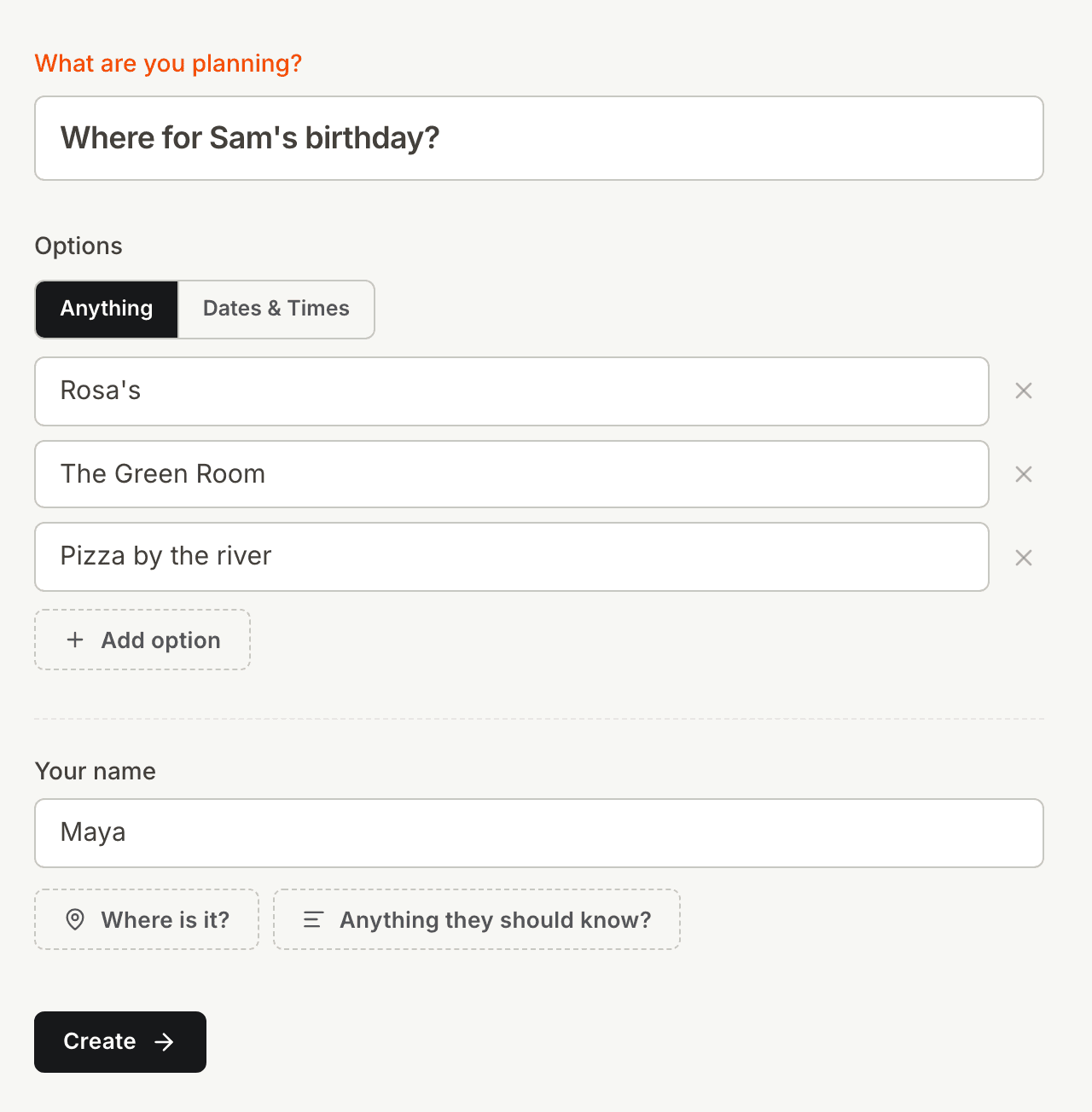
Put in the dates
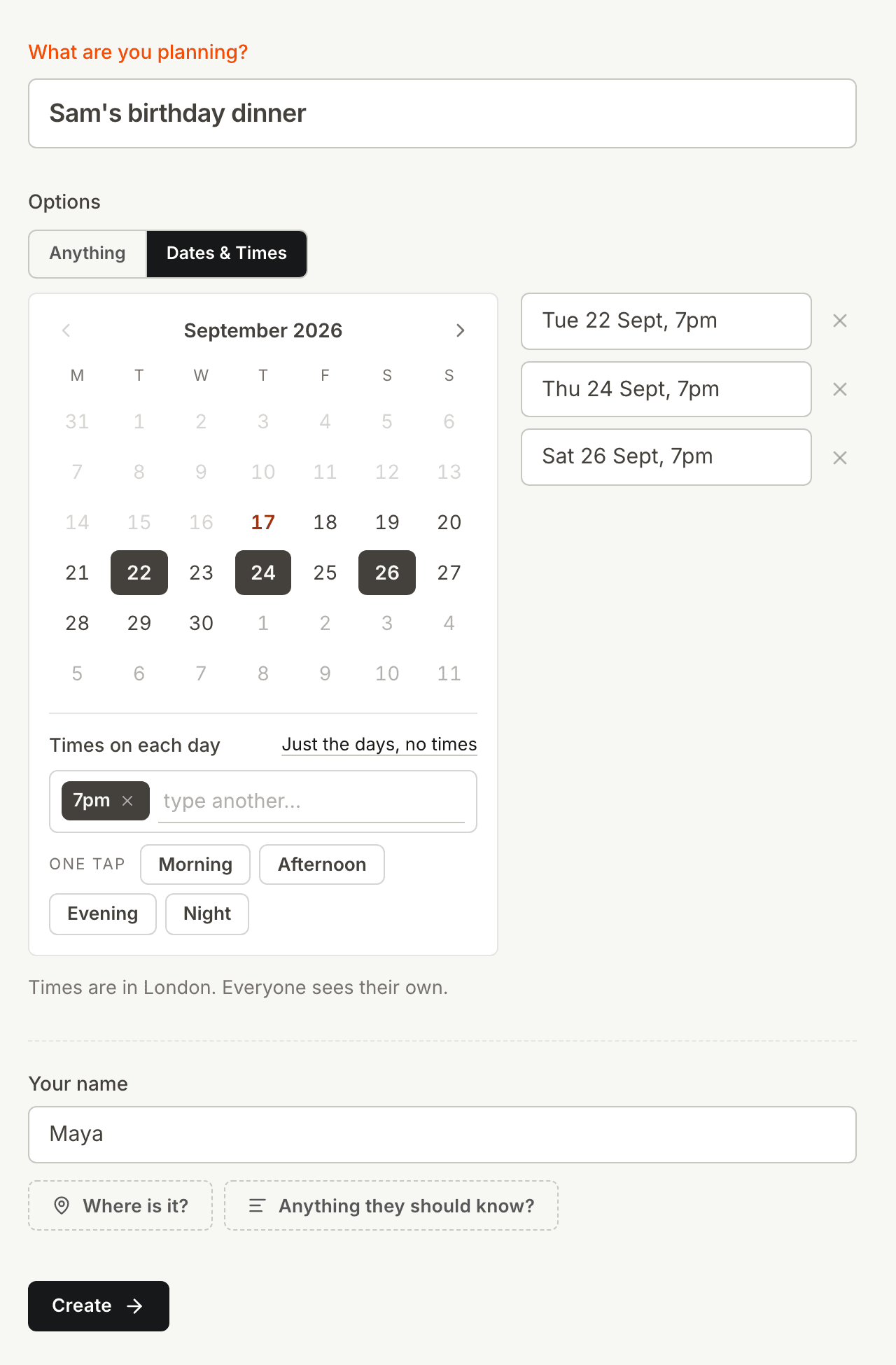
Type them, or tap them on a calendar. You can put times on every day at once, either an exact one like 6pm or a word like evening. It does not have to be dates: a list of places or restaurants works the same way.
- 02
Send the link
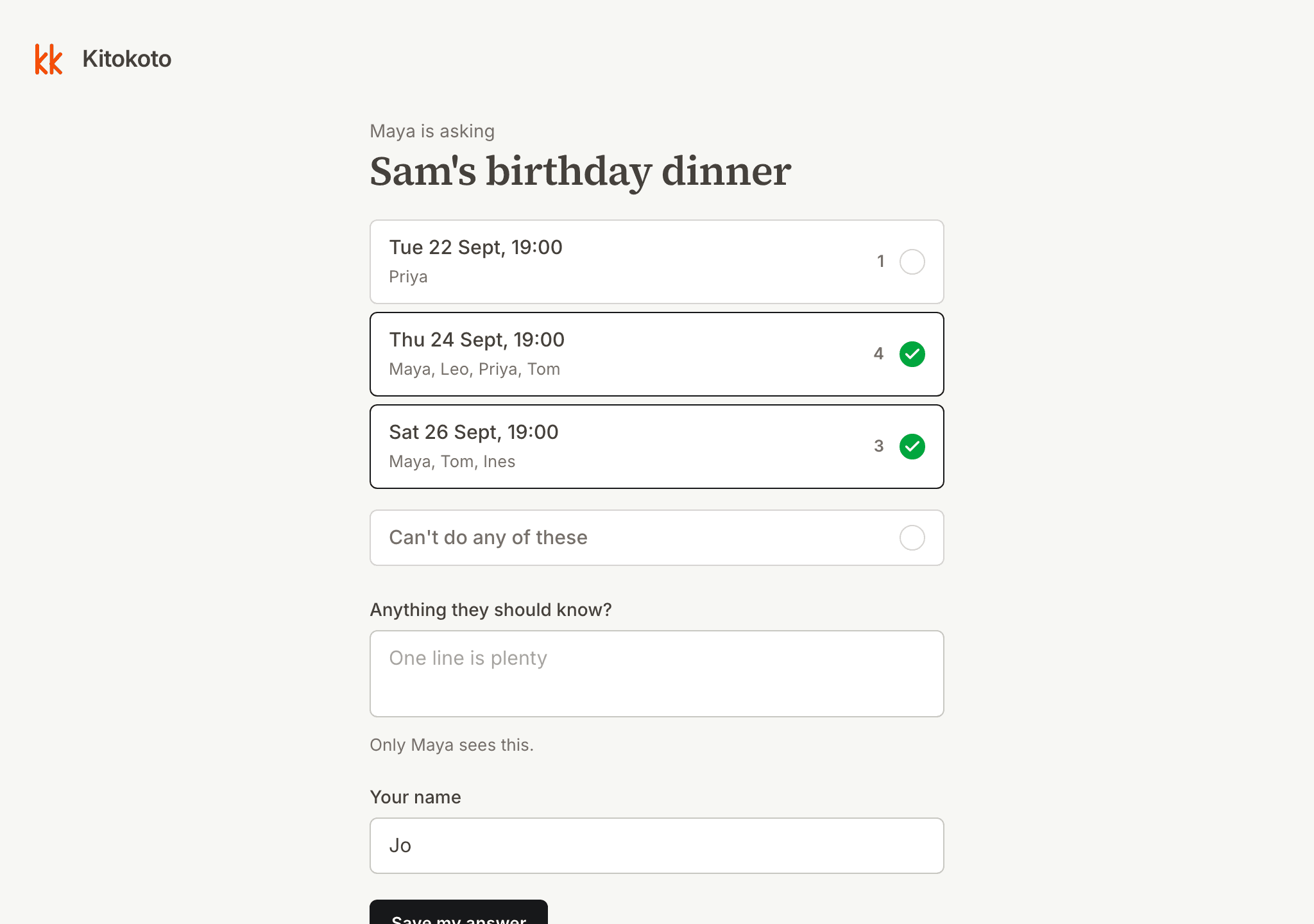
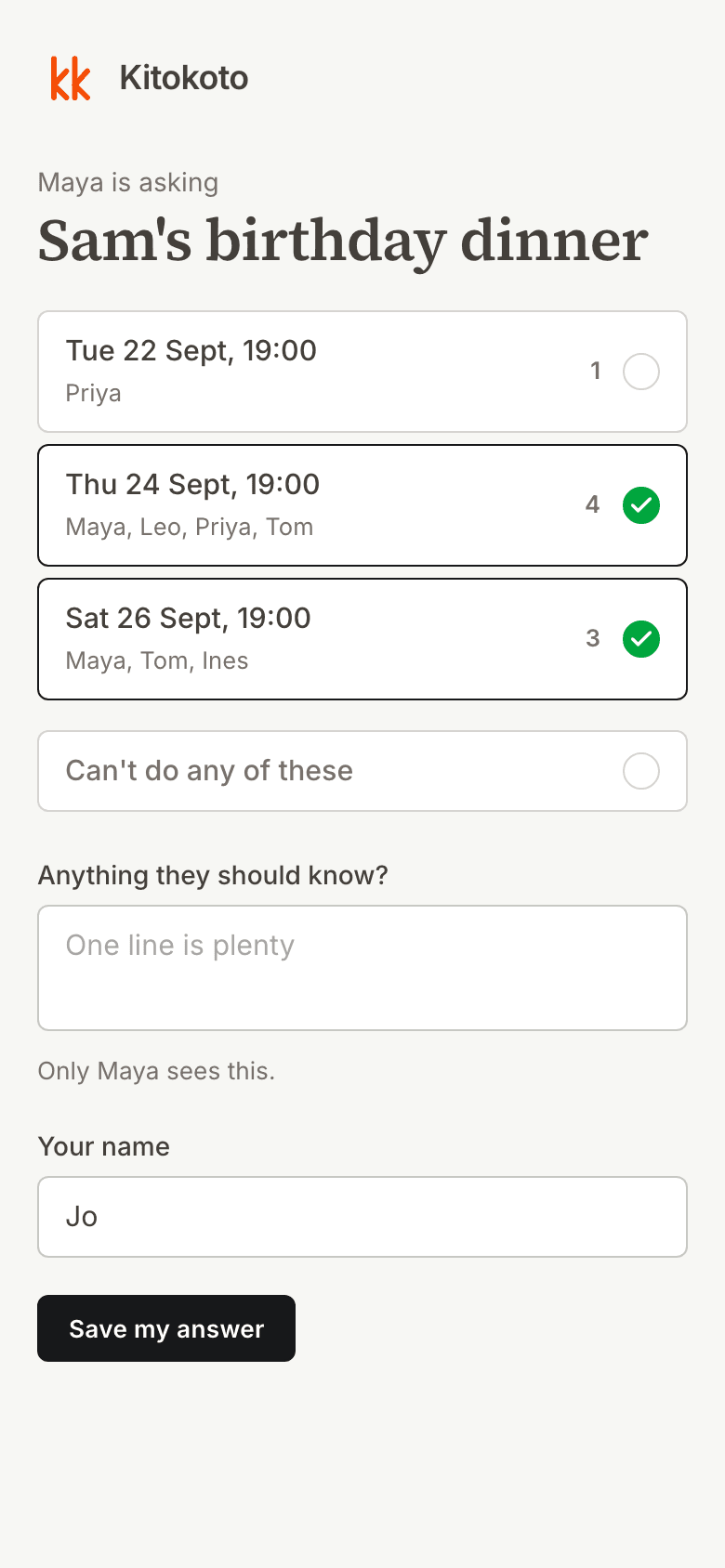
Paste it into the group chat, an email, or wherever your people already are. Nobody needs an account to open it, and answering takes about three taps.
- 03
Pick one
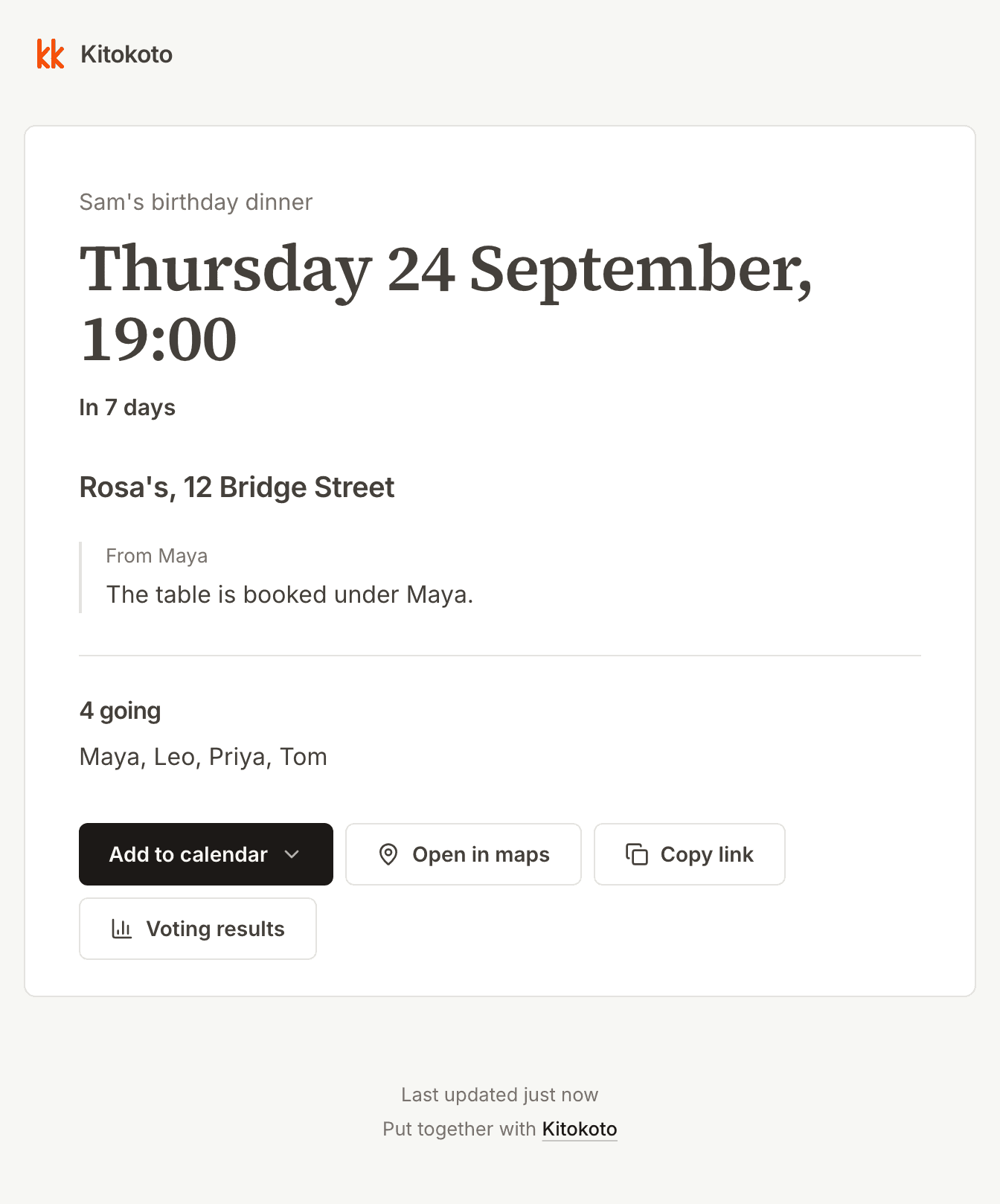
You see who can do what, and you choose. Everyone with the link then sees the date, the place and who is coming, including whoever never replied.
Every other tool stops halfway
Finding the date is the easy part. Then you are back in the group chat telling six people where to be, twice, because two of them missed it the first time.
Pick some dates
Send the link
Everyone answers
You pick one
- Every other tool ends here
Everyone gets the details
If the plan changes, everyone finds out
Nobody asks you where to go
Dinner before Anna leaves
3 answered
| Thu10 | Fri11 | Sat12 | |
|---|---|---|---|
| Anna | |||
| Marta | |||
| Tobias | |||
| Yes | 1 | 3 | 1 |
Fri 11 Sept · 19:00
Dinner before Anna leaves
What it can do
- Dates, or anything else
- A few evenings, or a list of places, restaurants, films, anything a group has to choose between. Anything you type that reads as a date becomes one.
- Times on each day
- Tap the days on a calendar and put times across all of them at once. An exact time like 18:00 to 20:00, or a word like morning when you do not know yet.
- Nobody signs up
- Not the people answering, and not you. You get a second link to keep, which gets you back in from any device.
- Everyone's own clock
- A time you write in Berlin shows up in London as the London time. If that is wrong for you, fix it to one clock and it stays 7pm for everybody.
- Who sees the answers
- Leave it open and anybody with the link sees who picked what. Switch it and only you do.
- A note only you read
- Anybody answering can add a line with it, like why Thursday is hard for them. It goes to you and to nobody else.
- A page afterwards
- Once you pick one, the link shows the date, the place, your note and who is coming. The people who never answered can read it too.
- Add it to a calendar
- From that page, into Google, Apple or Outlook, or as a file any calendar can open.
Questions
- Is it free?
- Yes, all of it. For you and for everyone you send it to.
- Do people need an account to answer?
- No. Nobody signs up for anything, including you.
- Can I ask about something other than dates?
- Yes. A round can be a list of places, restaurants or anything else to choose between.
- What if I lose the link?
- You get a second one to keep. It works on any device.
- Can people take a slot each instead?
- Yes. Turn it into a sign-up sheet and give each one a number of places. A full one cannot be taken again.
- Can I keep it to certain people?
- Yes. Name who can answer and they pick from that list instead of typing. It bounds who shows up, it does not check who they are.
- How long do you keep it?
- Three months after the thing you planned is over, then it is deleted, names and answers with it.
Stop being the one who chases.
It takes a minute. Nobody needs an account, including you.
Create your first event