How to schedule a meeting across time zones
Finding a meeting time gets harder with every time zone you add.Kitokoto puts your times in one poll and shows each one in the reader's own time zone.Free, no account.
Create your first eventGetting the time right
- 01
Start with the overlap
Find the hours when your working days overlap. With three or more time zones there may be none. The meeting planner shows them.
- 02
Pick the hour that is fair, not the one that suits most
The hour most of you like can be 7am for one person every week. Take the hour that is least bad for whoever it is worst for.
- 03
Offer a few times
Two or three options are enough. Let the team say which ones work.
- 04
Share the early slot
If the same person always gets the 7am call, take turns with it.
- 05
Keep it short
An hour is a lot at the end of someone's day. Aim for 30 to 45 minutes.
- 06
Watch the clock-change weeks
Europe and America change clocks on different dates in March and again in October and November. For a week or two, a weekly meeting moves an hour for some of you.
- 07
Say which time zone
Write the city next to any time you type into a chat or an email.
- 08
Put it in calendars
Once the time's set, add it to your calendars. Each calendar shows it at the right hour wherever you are.
Find the time with Kitokoto
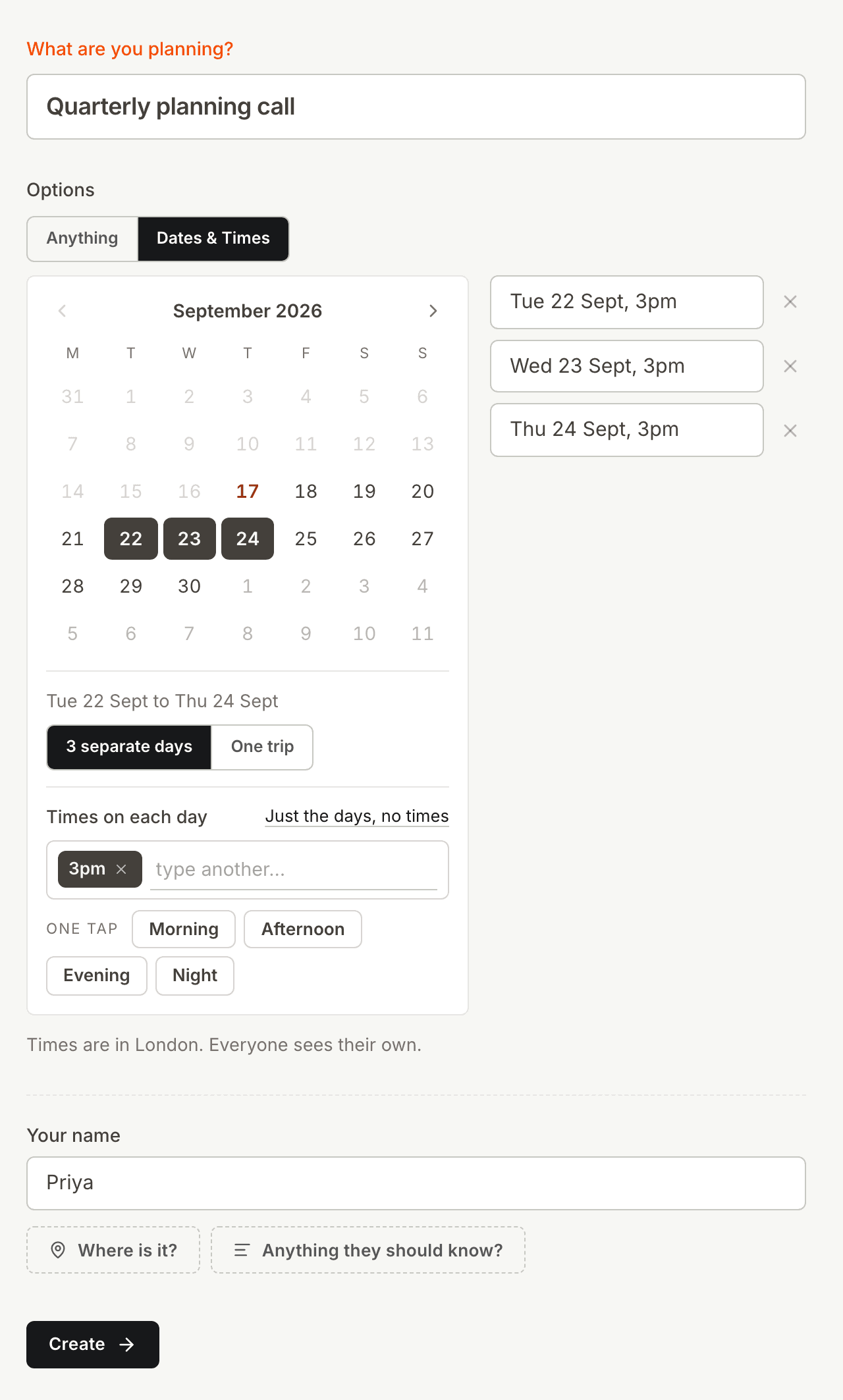
A few times in one poll
Emails back and forth across time zones take days. Put the times you could do in one poll instead.
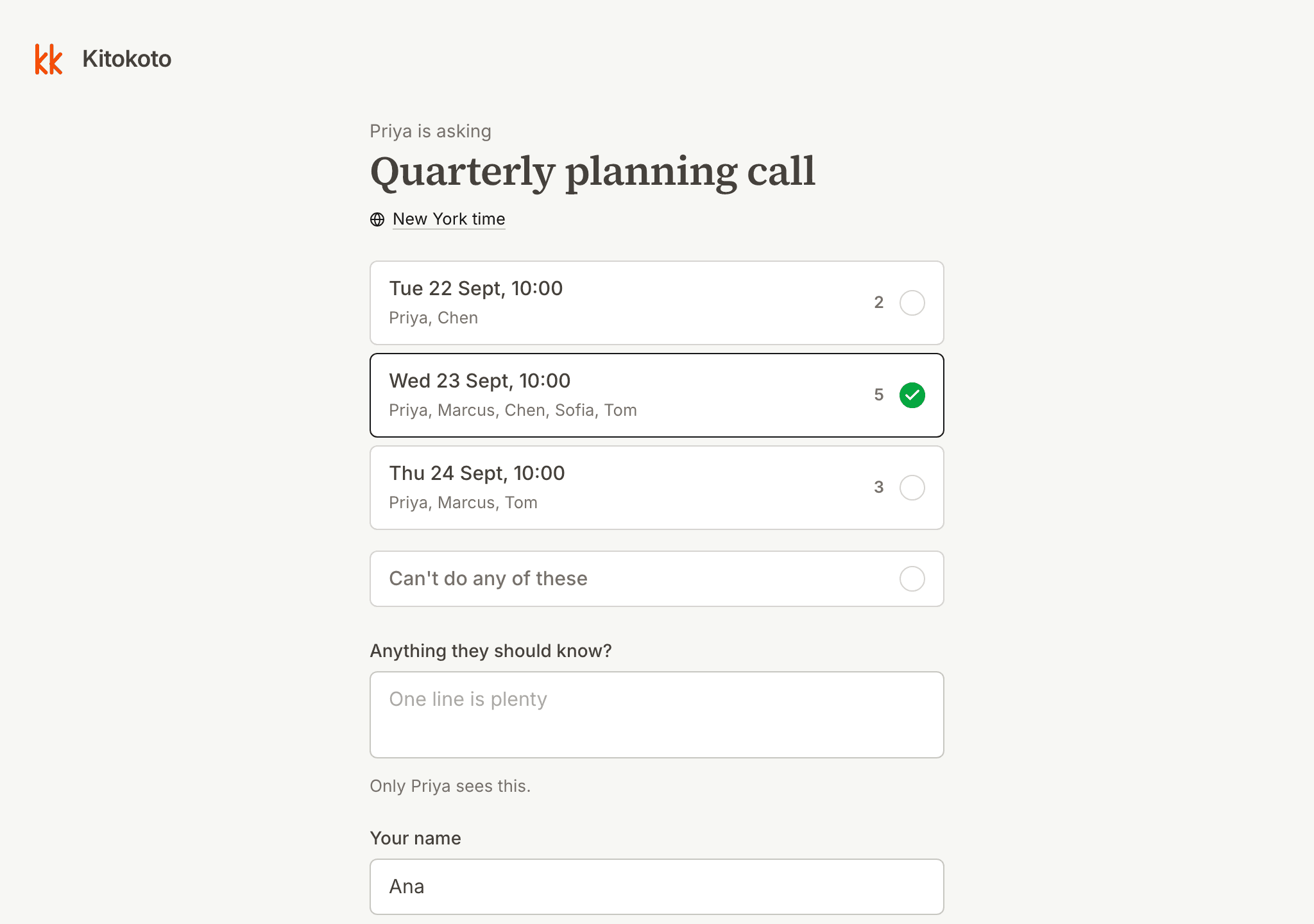
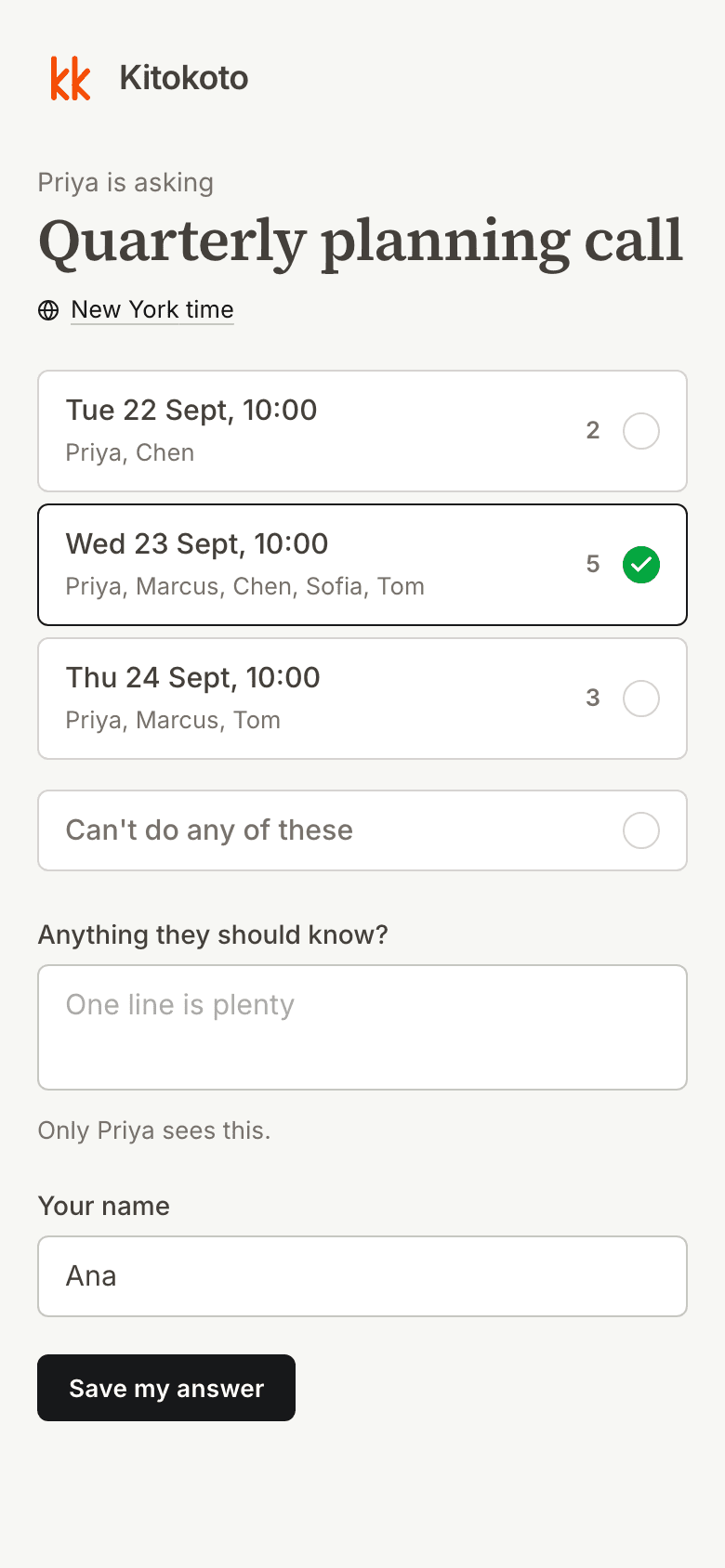
Times in your own time zone
3pm in London is 10am in New York. Kitokoto shows every time in the reader's own zone.
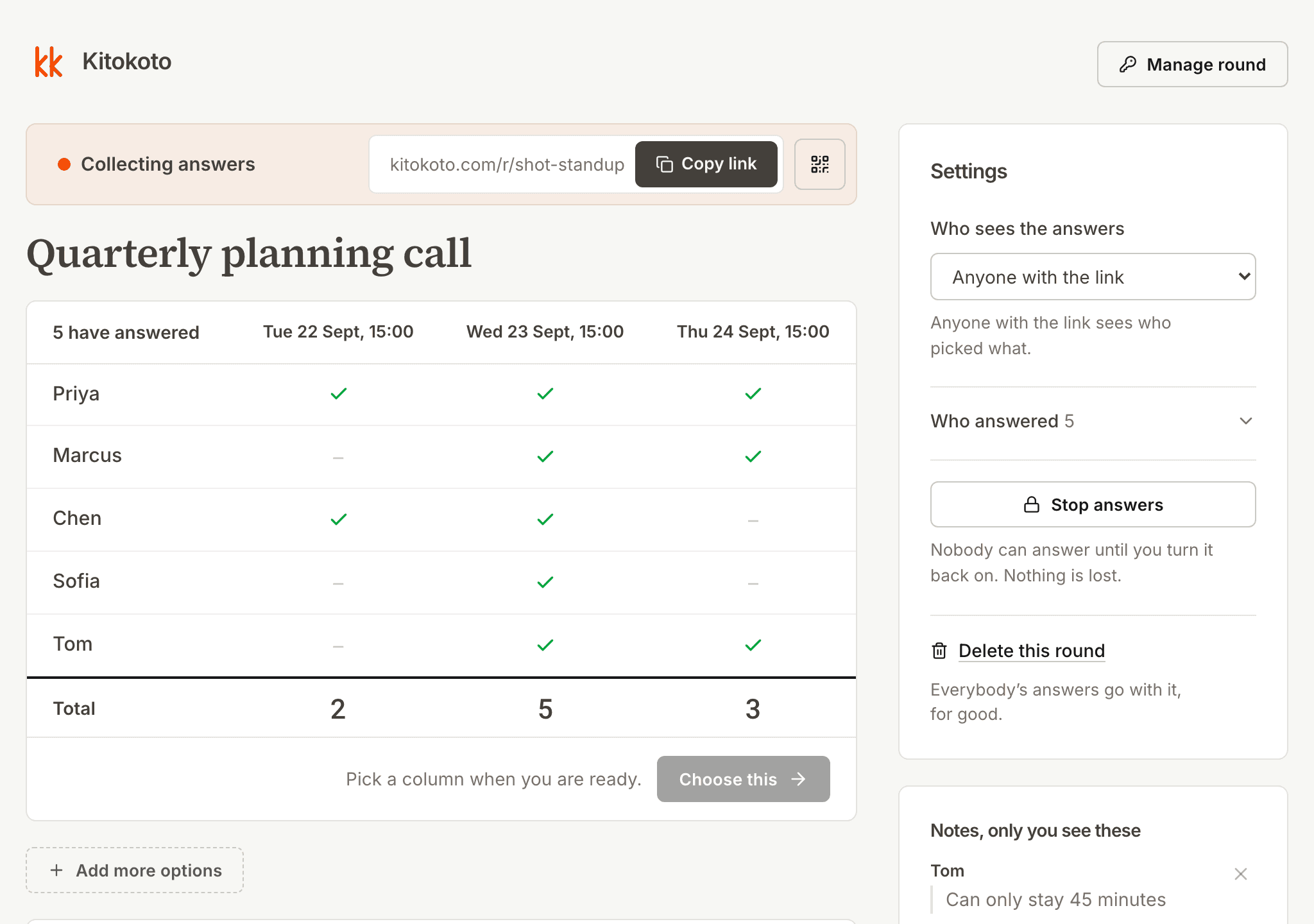
Every answer counted
Answers from different time zones are hard to line up. Kitokoto counts them for each time, in one table.
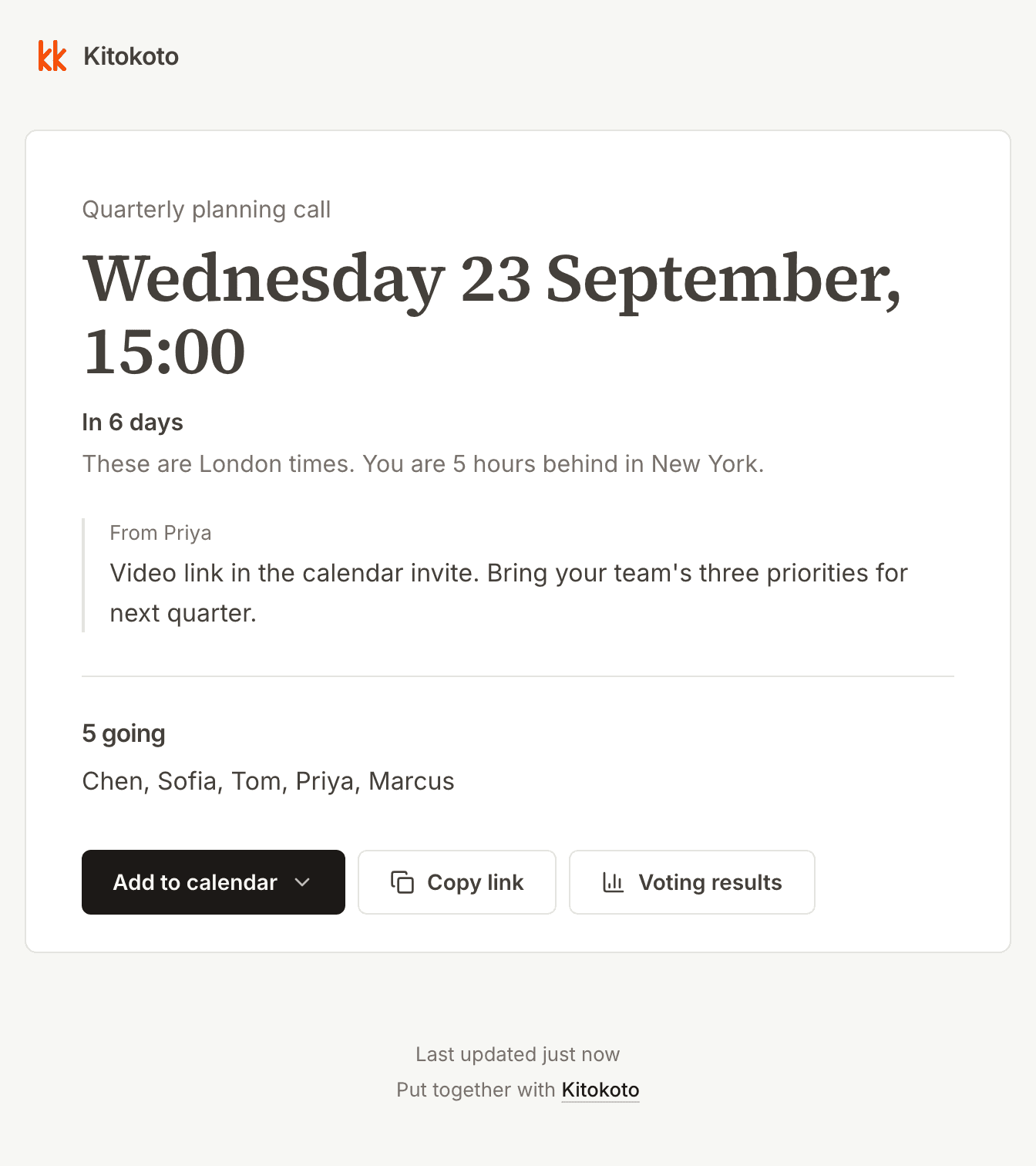
An up-to-date event page
Details posted in a group chat get buried, and changes get missed. Kitokoto gives your meeting a page with the time, a note and who's coming. When you change a detail, the page changes too.
Questions
- How do you schedule a meeting across time zones?
- Find the hours that overlap, then put a few of those times in a poll. Kitokoto shows each time in the reader's own zone.
- What is the best time for a meeting across time zones?
- The hour closest to working hours for all of you, not the one that suits most. That one leaves the same person at 7am every week. The meeting planner finds it.
- How do you plan a meeting across three or more time zones?
- Someone in New York, London and Mumbai, all 9 to 5, share no working hour. Aim for the hour that is an hour early for one and half an hour late for another, rather than late night for anyone. Try it in the planner.
- Why did the meeting move an hour in October?
- Europe leaves summer time in late October and America in early November. For that week the same meeting reads an hour earlier in Europe.
- Does Kitokoto convert time zones?
- Yes. Each time shows in the time zone of the person reading it.
- Does the team need an account to answer?
- No. Kitokoto has no accounts, for you or anyone you invite.