An Outlook Scheduling Poll alternative for people outside your organisation
Outlook Scheduling Poll makes people outside your organisation sign in or type a code.Kitokoto is a scheduling poll anyone can answer, with no sign-in.Free, no account.
- No sign-in to answer
- Never reads a calendar
- Works across organisations
- Event page included
Outlook Scheduling Poll vs Kitokoto
| Kitokoto | Outlook Scheduling Poll | |
|---|---|---|
| Who can make one | Anyone, with no account. | A Microsoft 365 work or school mailbox, not a personal Outlook.com account. |
| Answering | No sign-in. | Sign in with a work or school account, or enter a code sent by email. |
| People outside your organisation | The same as anyone else. | Availability shows as unknown. Some Gmail users were sent to a new Outlook inbox instead of the poll. |
| Your calendar | Never read. You choose the times. | Read, with temporary holds on calendars in your organisation. |
| Price | Free. | Included in Microsoft 365. |
| What you can ask about | Dates, times, places, or anything else. | Meeting times. |
| Time zones | Times in your own time zone, or in one zone you set for the group. | The time zone set in Outlook. |
| After you pick a time | Kitokoto keeps the date, the place and who is coming on the same page as the poll. | Outlook sends the invitation to the attendees you listed. |
| Who sees the answers | Anyone with the link, or only you. | Attendees see each other's votes. |
For people outside your organisation
Scheduling Poll works best when all of you are in one Microsoft 365. Kitokoto works the same for anyone, with no sign-in.
01
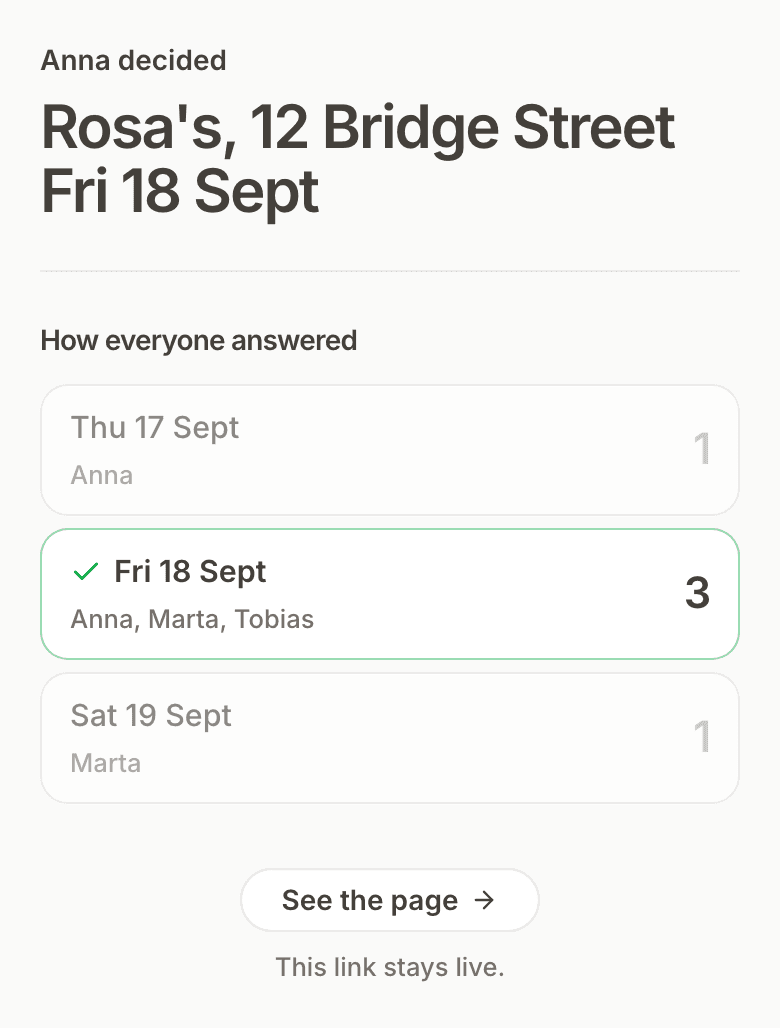
The time you picked
Kitokoto puts the date and the place on the poll your group already has.
02
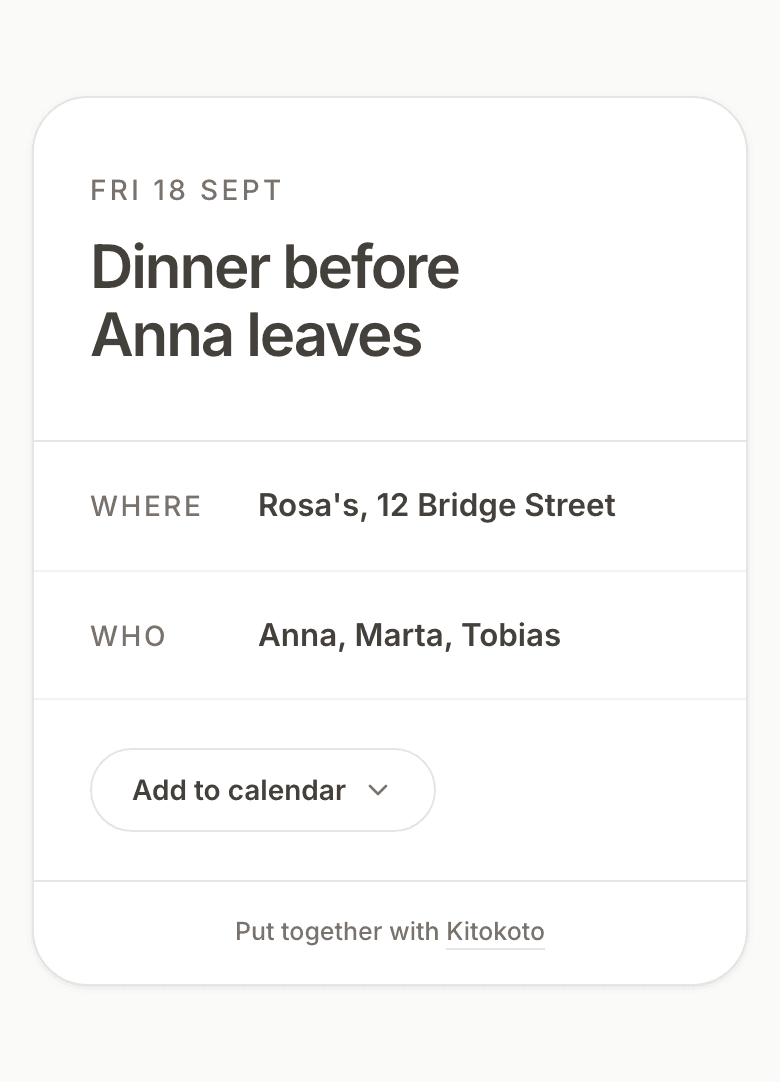
An event page
The poll page is also the event page, with where to be and who is coming. You can add it to Outlook or any other calendar.
Questions about switching from Outlook Scheduling Poll
- Can people outside my organisation vote on an Outlook Scheduling Poll?
- Yes, after signing in with a work or school account or entering a code sent by email. Kitokoto needs no sign-in.
- What happened to FindTime?
- Microsoft replaced the FindTime add-in with Scheduling Poll, which is built into Outlook.
- Does Kitokoto connect to my Outlook calendar?
- No. Kitokoto never reads a calendar. When you pick a time, you can add it to Outlook from the event page.
- Can I use it with a personal Outlook.com account?
- Yes. Kitokoto has no accounts. Scheduling Poll needs a Microsoft 365 work or school mailbox.
- Does it work for interview scheduling?
- Yes. Kitokoto shows which slots the panel and the candidates can do, and you can hide the answers from candidates.
- Can I keep the answers private?
- Yes, for free. Only you see who picked what.
- Does it handle time zones?
- Yes. Kitokoto shows times in your own time zone, or in one zone you set for the group.
- What about Doodle?
- Doodle's free plan gives you one group poll, with ads shown to the people you invite. Doodle and Kitokoto, side by side.
- How long do you keep it?
- Three months after the meeting. Then Kitokoto deletes it, with every name and answer.